
A new version of GlassFish Tools Bundle for Eclipse (ver 1.1) was recently released. The build contains
- Eclipse 3.4.2 IDE with WTP Java EE support
- GlassFish v2.1 pre-registered and configured
- GlassFish v3 Prelude pre-registered and configured
- JavaDB sample database pre-registered and configured
- GlassFish Plugin (1.0.29)
- MySQL JDBC driver registered to the IDE
- Maven m2 plugins
- JAX-WS Metro plugin
- GlassFish documentation
- And optionally, a JDK 1.6.
The functionality is also available in GlassFish Plugin that can be installed on Eclipse 3.5. However because of the Eclipse bug #280365, the plugin cannot be installed directly using Server Adapters. The alternative is to install explicitly using the Update Site. The instructions to do the same are given below:
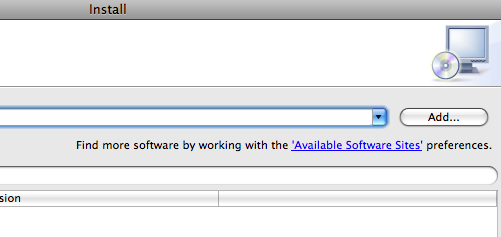
- In “Help”, “Install New Software”, click on “Available Software Sites”:
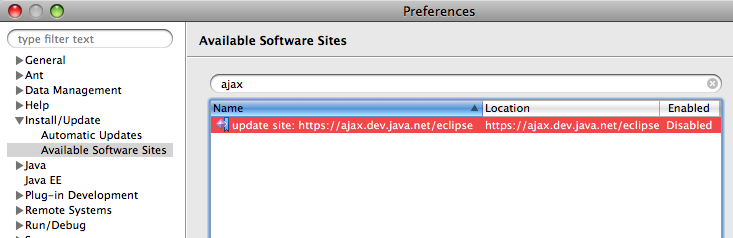
- Search for “ajax” to see the output as:
- Click on “Enabled” button to enable the site and see the change as below:
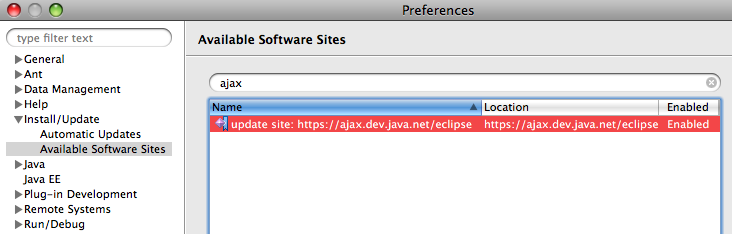
click on “OK”.
- Expand the drop-down list box and chose the recently added “update site” as shown below:
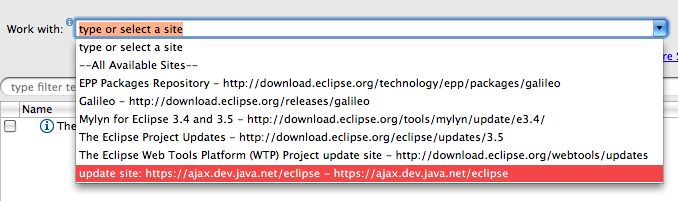
and it shows all the software available from that site as:
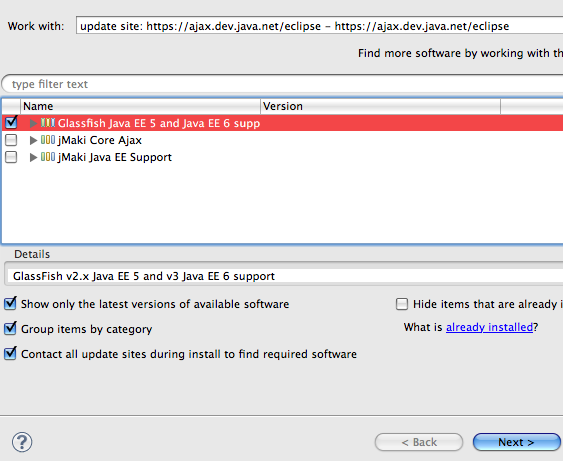
- Take the defaults, click on “Next” and it shows the GlassFish plugin version number as shown below:
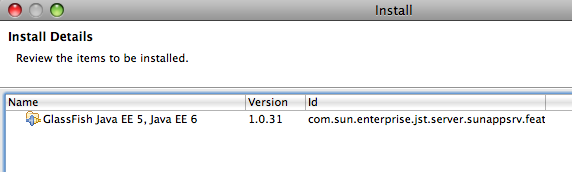
- Click on “Next”, accept the license by clicking on “I accept …” and click on “Finish” to start the installation.
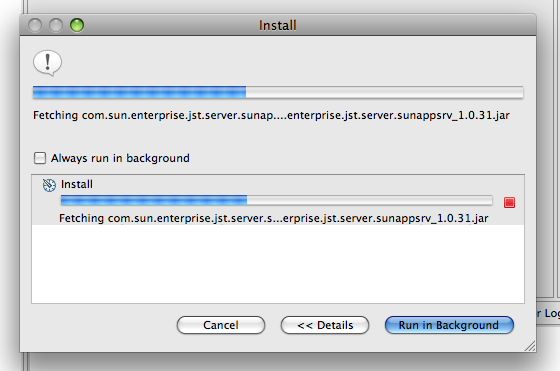
The IDE restarts after the installation is complete.
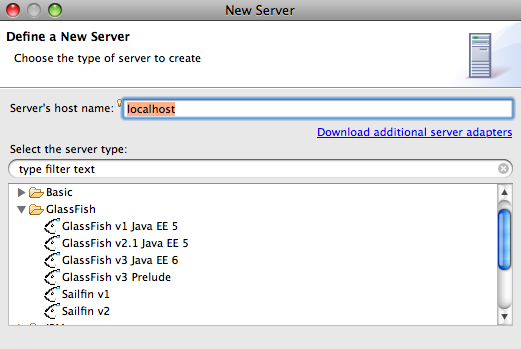
- Now a new server can be added using “Servers” tab and it shows GlassFish as an option as shown below:
The screencast #28 shows how to create a simple web application using GlassFish v3. Future blogs will show how to leverage the new functionality of JAX-WS Web services plugin and JPA Dali Tooling with GlassFish.
Please leave suggestions on other TOTD that you’d like to see. A complete archive of all the tips is available here.
Technorati: totd glassfish eclipse galileo

- TOTD #66: GlassFish Eclipse Plugin 1.0.16 – Install v3 Prelude from the IDE
- TOTD #115: GlassFish in Eclipse – Integrated Bundle, Install Stand-alone or Update Existing plugin
- GlassFish at Eclipse Demo Camps Galileo 2009 – Jun 17th
- TOTD #102: Java EE 6 (Servlet 3.0 and EJB 3.1) wizards in Eclipse
- TOTD #83: Eclipse Tools Bundle for GlassFish 1.0 – Now Available!
thank you very much good very beautiful work
Comment by çiçekçi — August 24, 2009 @ 6:50 am
Thanks! Worked like a charm
Comment by Adam — September 24, 2009 @ 4:43 pm
I could not figure how to connect to a remote domain.
Thank you
Comment by yariv — December 31, 2009 @ 4:28 am
I could not figure out hot to register to remote domain?
Comment by yariv — December 31, 2009 @ 4:30 am
Yariv, It’s not possible to register/connect to a remote GlassFish domain using Eclipse.
Comment by Arun Gupta — February 23, 2010 @ 5:09 pm
Just super ………Very very thank you sir .
Comment by Karthik — January 31, 2011 @ 3:13 am
Thanks….
Comment by Antony — June 7, 2011 @ 3:41 am